From Exchange API Keys to Live Execution: How to Launch Safely on Quantova
Going live with automated trading should feel structured, not rushed. On Quantova, the safest path is to treat launch as a sequence: connect your exchange API, verify permissions, test in paper mode, review risk settings, and only then move to live execution.
This guide walks through that process for new users preparing to trade on Quantova with a focus on safety, visibility, and control.
1) Start with the right mindset
A live bot is not a shortcut. It is an execution tool that follows the rules you set.
Before connecting anything, make sure you can answer three questions:
- What market or strategy are you trading?
- What is the maximum loss or exposure you are willing to accept?
- What conditions would make you pause or stop the bot?
If those answers are unclear, spend more time in planning and paper trading before going live.
2) Create your exchange API key carefully
Quantova supports exchange connectivity through API keys such as Binance API and MEXC API. The exact setup depends on your exchange account, but the principles are the same.
When generating an API key:
- Enable only the permissions you actually need
- Avoid enabling withdrawals unless your specific workflow requires it
- Use separate keys for separate environments when possible
- Store credentials securely and rotate them if needed
A good rule is simple: give the API only the access required for trading, nothing more.
3) Connect the exchange inside Quantova
Once your key is ready, connect it in Quantova and confirm the account is recognized correctly.
Check for:
- Correct exchange selection
- Accurate account or sub-account mapping
- Permission status
- Balance visibility
- Connectivity status in the platform
This is the point where many users move too quickly. Take time to verify the connection details, because a clean setup now prevents confusion later when live orders begin.
4) Build your paper-to-live progression
Do not jump straight from setup to full-size live trading. A safer onboarding path is:
Stage 1: Paper trading
Use simulated execution to confirm that:
- Entry and exit logic behaves as expected
- Signals appear when they should
- Order sizes are calculated correctly
- The strategy runs without errors over time
Stage 2: Small live test
After paper results look stable, move to a small live allocation. This stage is about operational validation, not performance chasing.
Use it to confirm:
- Orders are placed correctly
- The exchange responds as expected
- Dashboard data matches actual activity
- Notifications and alerts are working
Stage 3: Gradual scaling
Only after the live test is consistent should you consider increasing size. Scale in small steps, and review behavior after each change.
This progression helps you learn how the system performs under real market conditions without exposing the full account too early.
5) Set your core risk controls before launch
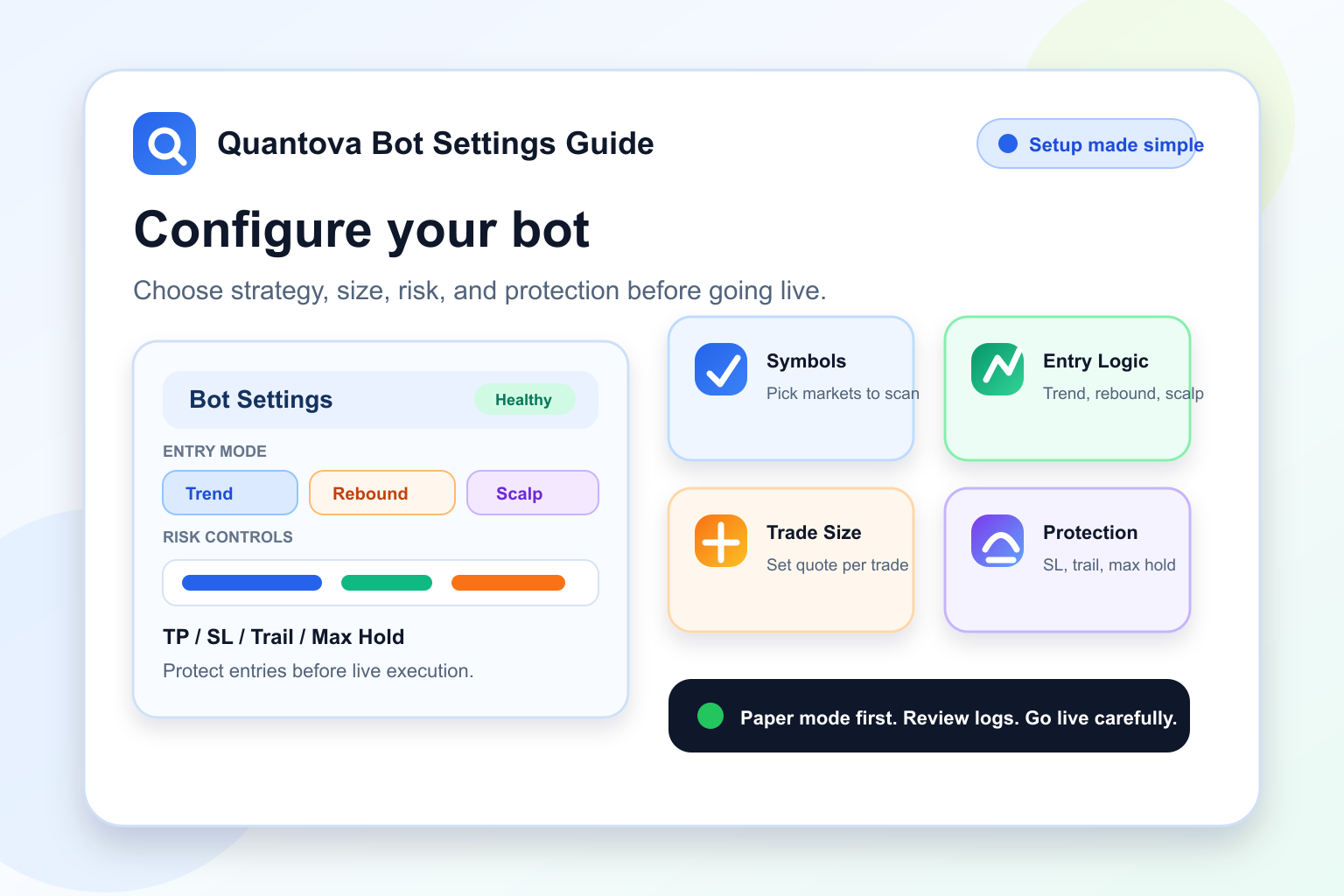
Risk settings should be in place before the first live order. On Quantova, the most important controls are the ones that keep your exposure predictable.
Max hold
Use max hold to limit how long a position can remain open. This helps prevent trades from sitting indefinitely if market conditions change or a signal fails to resolve.
Trailing stop
A trailing stop can help define how a position is managed after it moves in your favor. It is not a guarantee, but it can provide a more disciplined exit structure than relying on emotion or manual timing.
Position sizing
Keep size aligned with your account and strategy. A smaller size in early live testing is often the most practical way to reduce operational risk.
Exposure limits
If Quantova allows account-level or strategy-level caps, set them before launch. Limits are useful because they create a boundary around how much one strategy can deploy.
The goal is not to remove all risk. The goal is to make risk visible and controlled.
6) Review the operational dashboard before turning live
One of the most useful parts of a platform like Quantova is visibility. Before going live, open the operational dashboard and confirm that you can see the information you will actually rely on during execution.
Look for:
- Bot status
- Open positions
- Recent orders
- PnL or performance tracking
- Exchange connection health
- Alerts or error messages
- Strategy parameters currently in force
If the dashboard shows stale data, missing balances, or unclear status indicators, fix that first. Live execution should never begin when the platform state is uncertain.
7) Test the alerting and error workflow
A safe launch is not only about entry logic. It also depends on what happens when something goes wrong.
Before full live use, test:
- Connection loss alerts
- Order rejection handling
- Position mismatch checks
- Manual pause or stop controls
- Notification delivery to your chosen channel
You want to know how Quantova behaves when markets are active and conditions change quickly. If something fails, you should be able to see it fast and respond fast.
8) Launch with a simple strategy first
For a first live deployment, keep the setup simple.
Good first-live candidates usually have:
- Clear entry and exit rules
- Limited number of adjustable variables
- Defined max hold behavior
- A trailing stop or other structured exit rule
- Conservative position sizing
Avoid launching a complex multi-layer strategy on day one. Complexity makes it harder to identify whether a problem comes from the market, the exchange, or the configuration itself.
9) Monitor the first session closely
The first live session is a validation period. Watch for:
- Order timing delays
- Partial fills
- Unexpected re-entries
- Strategy drift from the paper version
- Balance differences between dashboard and exchange
- Any repeated warning messages
If the system behaves differently than expected, pause and inspect the issue. Small problems are easier to fix early than after multiple sessions.
10) Document your launch settings
Keep a simple record of your launch configuration. This should include:
- Exchange used
- API permissions enabled
- Strategy name
- Position size
- Max hold setting
- Trailing stop setting
- Any exposure limits
- Date and time of live start
This record is useful for troubleshooting, iteration, and future strategy reviews. It also helps you compare live behavior against paper trading results with less guesswork.
11) Know when to stop or reset
A safe process includes a stop condition. Decide in advance what would trigger a pause, such as:
- Repeated order errors
- Unexpected fills
- Connection instability
- Strategy behavior outside expected bounds
- A manual review flag from your dashboard monitoring
Pausing a bot is not failure. It is part of responsible operations.
A practical launch checklist for Quantova
Before you go live, confirm the following:
- API key is created with the correct permissions
- Exchange connection is verified in Quantova
- Paper trading results look stable
- Live test allocation is small
- Max hold is set
- Trailing stop is configured where relevant
- Dashboard status is clear
- Alerts are working
- You understand your stop conditions
- You are prepared to monitor the first session
Final thoughts
The safest way to launch on Quantova is to treat live trading like an operational rollout, not a single switch. Start with a verified exchange API connection, move through paper trading, test with a small live allocation, and use risk controls like max hold and trailing stop to keep execution disciplined.
If you follow that process, you give yourself a much better chance to learn how the system behaves in real conditions while keeping the account under control.
Quantova is most effective when used with careful setup, clear visibility, and realistic expectations.